
Wildlife on the road: prepare first, review the drive later
Use official Ontario guidance around wildlife, then keep a factual parked review without treating a driving score as a record of the animal encounter.
Read field noteThe everyday commute. The long way home. Keep your drives in one place, understand your habits, and see the progress you make.
Available now · Android 8.0+ · In-app purchases
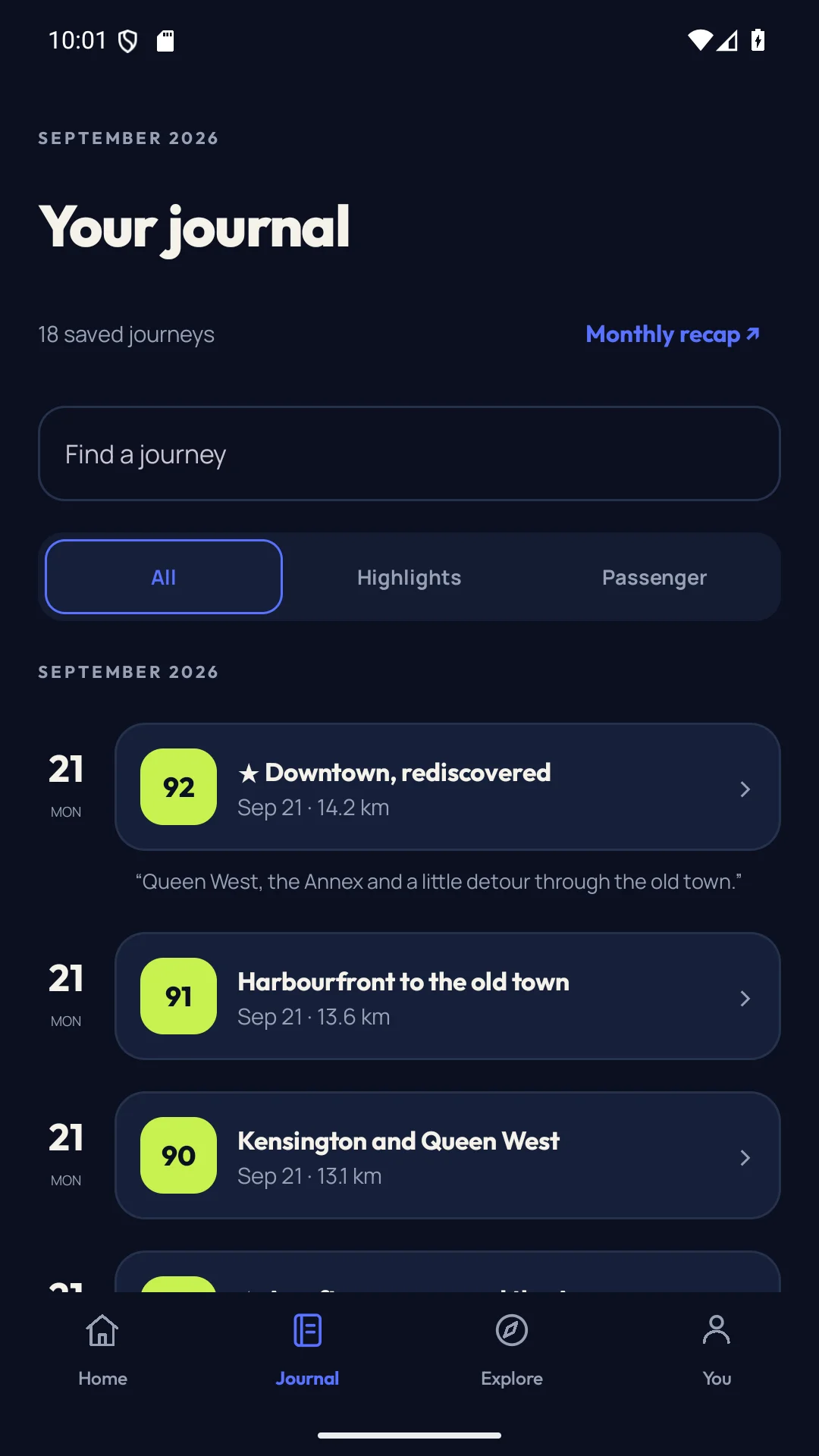
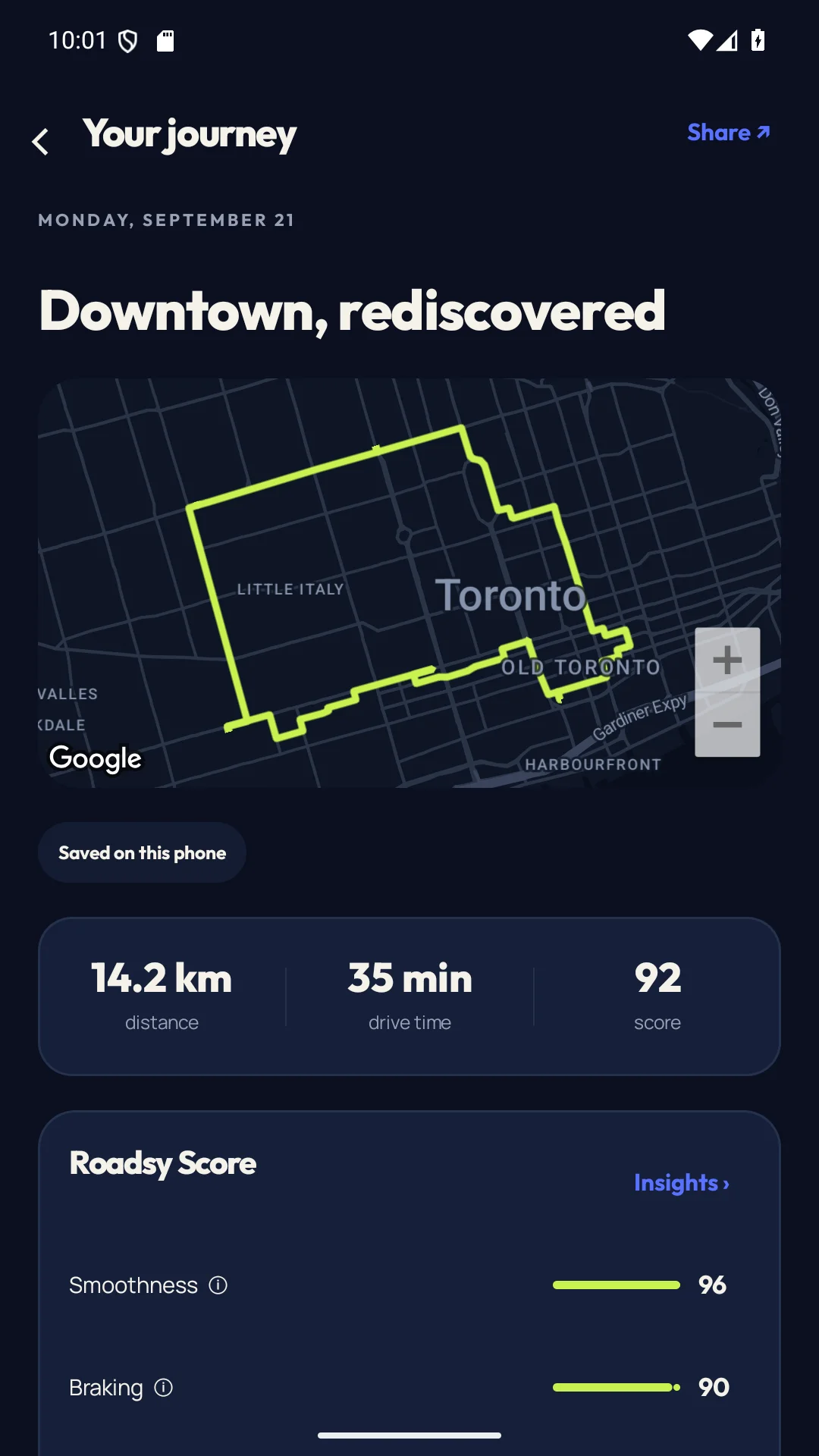
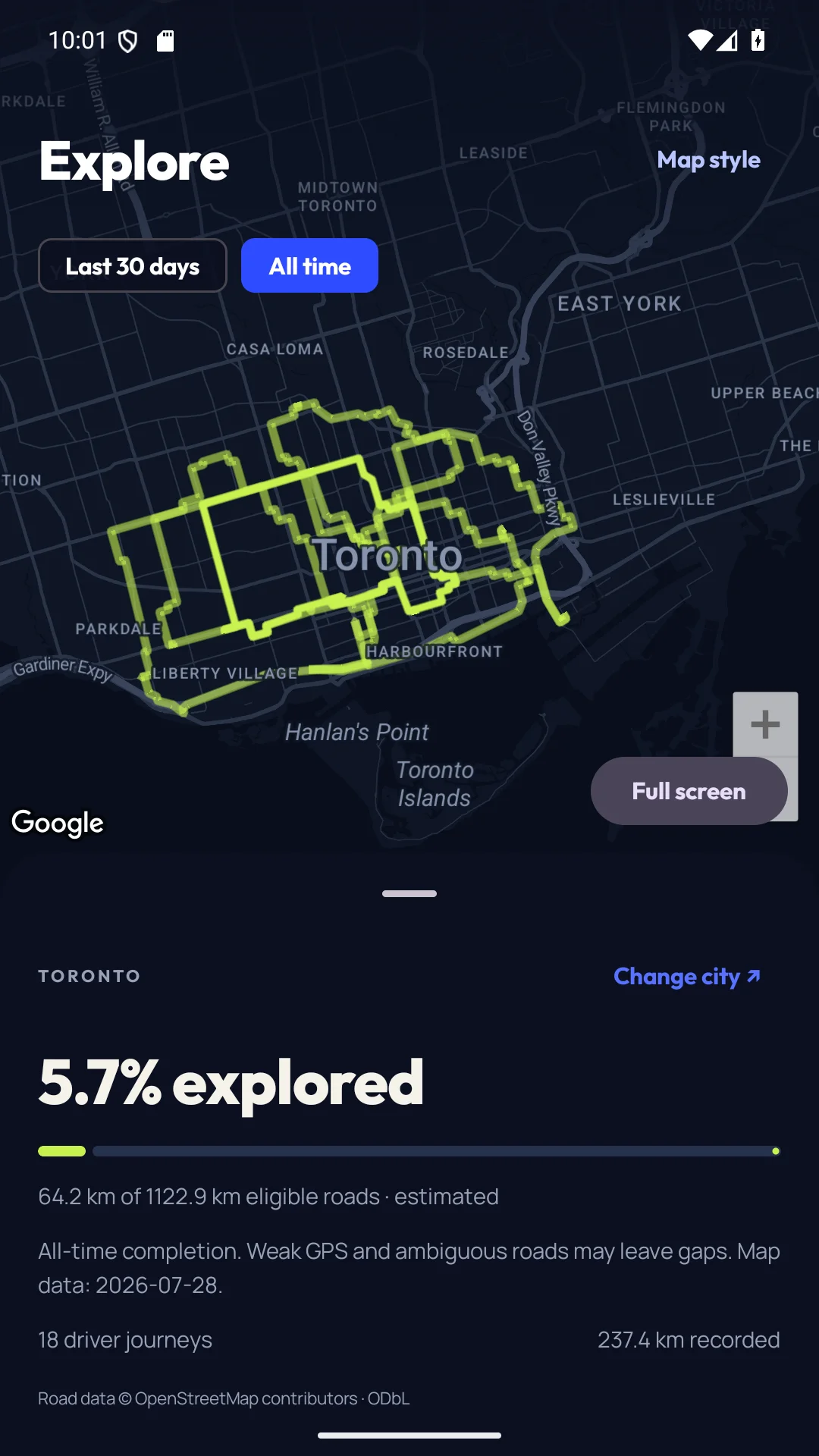
Inside the Android app · Example drives
A record of the roads you take.
Trips, distance, and time together.
Clear feedback for your next drive.
From a saved trip to a useful insight. Explore the features built into the Android app.
Name a journey, add notes, and share an image with the route details you choose.
Explore featureRevisit recorded routes and discover how much of a city's road network you've explored.
Explore featureUnderstand your braking, acceleration, cornering, and smoothness with a driving score that includes data confidence.
Explore featureManual and automatic drive recording save trip progress continuously in encrypted local storage.
Explore featureOpen Insights on a saved journey with Pro to explore the evidence behind your drive analysis.
Explore featureEncrypted trip storage, private account backup, personal data export, and deletion keep you in control of your driving history.
Explore featureA useful score needs context. Review smoothness, braking, acceleration, and cornering when your phone records enough reliable data. Pro adds advanced journey insights.
How driving scores workIn this example, braking has the highest category score.
Open a saved journey and tap Insights for advanced analysis.
Your routes can reveal where life happens. Roadsy starts with encrypted storage on your phone and gives you control over your records.
Read the privacy policyYour precise routes stay out of public profiles.
Export your records when you need them.
Manage backup, permissions, and account deletion.
Use official Ontario guidance around wildlife, then keep a factual parked review without treating a driving score as a record of the animal encounter.
Read field noteUse official fog-driving guidance before departure and keep any trip review for after you are safely parked.
Read field noteA line across a building or a missing stretch of road does not tell the whole story. Here is how to review an inaccurate trip route and check your phone before the next drive.
Read field noteRoadsy is a private driving journal for Android. It records drives, brings your trip history together, and explains driving scores through braking, acceleration, cornering, and smoothness.
Roadsy is available on Google Play for phones running Android 8.0 and up. Download the app and create an account to start your driving journal.
Roadsy is free to download, with manual recording and 72 hours of free access to individual journey details. Roadsy Pro is a paid subscription that unlocks older retained details, automatic recording, advanced insights, replay, richer recaps, and optional cloud backup. Google Play shows the current price and any eligible trial before you subscribe.
Yes. Roadsy Pro includes automatic recording after you complete the required permission setup, including background location and physical activity access. You can also start and stop a drive manually without Pro.
Trip records are saved in encrypted storage on your phone. Roadsy does not sell your location data. Private cloud backup, export, and deletion controls help you manage your records. Read the privacy policy for the full details.
No. Roadsy scores are feedback based on phone signals, which can be incomplete. They are not an insurance rating, proof of safe driving, or a substitute for your judgment on the road.
Download Roadsy for Android. Record a journey, revisit your route, and see the roads you've explored.
Android 8.0 and up · Free download · In-app purchases